Confirm moisture condition and adhesion on site first.
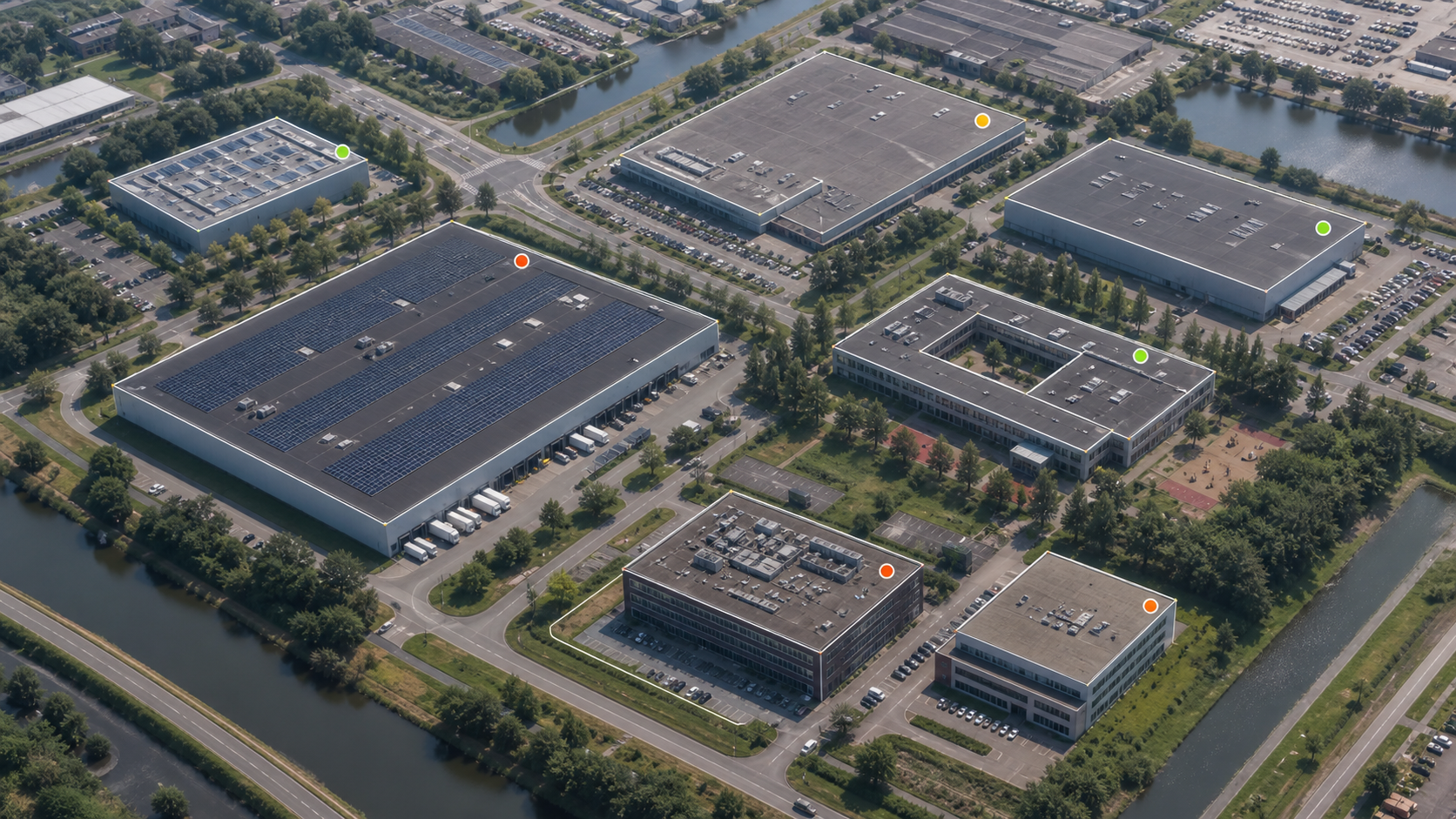
Portfolio Intelligence
From isolated signals to manageable property priorities.
Compare multiple buildings and structures for urgency, consequential damage, continuity and available information. Not as an automatic diagnosis, but as a business start for targeted verification.
One portfolio · multiple disciplines
The technical question does not stop at the roof.
A portfolio can simultaneously contain leak-prone roofs, worn industrial floors, concrete damage, corrosion, moving joints and civil details. The scan brings these objects into one comparable format without treating them technically the same.
For each object, you only register the main points that are already known. The Technical Decision Center translates that information into a transparent sequence for recording, file addition or monitoring.
PolyShield Roof Intelligence
From address to a professional initial roof report.
Enter the project address, draw one or more roof areas and add only the information already available. A useful technical pre-assessment is created within minutes.
Usually 3–5 minutesNon-binding digital pre-assessment
- 01Enter address± 30 seconds
- 02Draw the roof± 2 minutes
- 03Describe the situation± 1–2 minutes
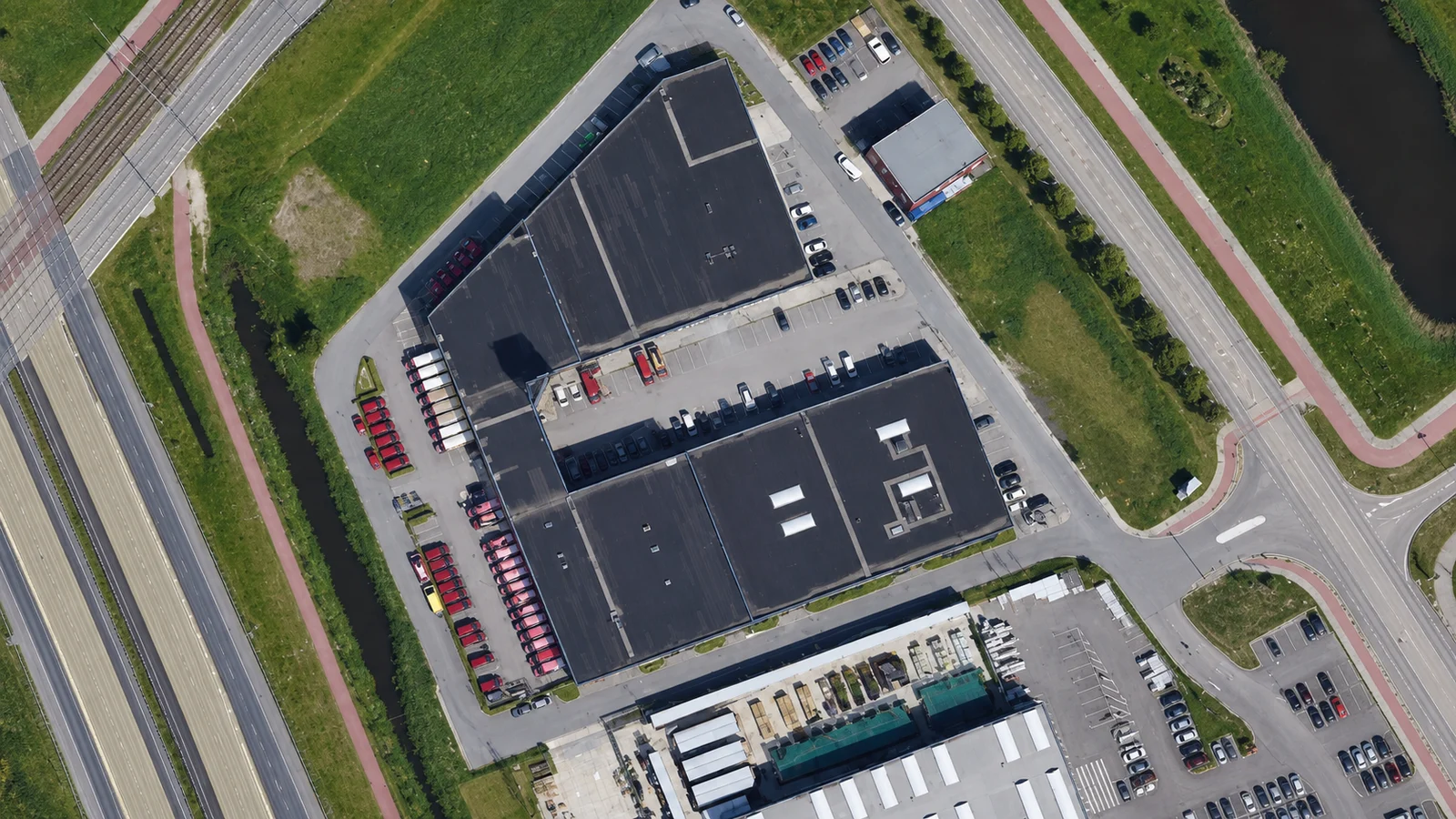
± 3,420 m²Indicative roof area
Portfolio Control Room
Technische prioriteit
op één bestuurbaar scherm.
Een demonstratie van hoe meerdere objecten later als één portfolio kunnen worden gevolgd. De huidige scan blijft lokaal en vraagt geen abonnement.
NEDERLAND
BELGIËCONCEPTUELE ASSETMAP · GEEN GEOGRAFISCHE PRECISIE
BELGIËCONCEPTUELE ASSETMAP · GEEN GEOGRAFISCHE PRECISIE
Portfolio Scan
Orden meerdere assets in één eerste beslisbeeld.
Voer alleen bekende hoofdinformatie in. De uitkomst is een screeningprioriteit en geen conditiemeting, systeemadvies of vervanging van inspectie.
Transparent decision model
Five factors. No hidden advice machine.
Known condition
The condition known to you or consciously 'unknown'.
Urgency
Planned, within twelve months or an acute signal.
Consequence for failure
From limited nuisance to critical function or safety.
Continuity
The available space for phasing and downtime.
File level
How much reliable object information is already available.
AFTER THE SCAN
From priority to proof.
- 01
Arrange objects
Make urgency and consequential damage comparable without a falsely accurate technical conclusion.
- 02
Supplement information in a targeted manner
Collect drawings, photos, history, surface and use only where this adds decision value.
- 03
Technically verify
Plan a recording, measurement, trial or project-specific system pre-selection for selected assets.
- 04
Form program and budget
Compare local restoration, conservation, phasing and integral renovation as controllable scenarios.
Frequently asked questions
What the scan does and does not do.
Is the outcome a fitness measurement?+
No. The scan organizes signals and preconditions entered by you. A technical recording remains necessary for condition, cause, system choice and budget.
Can I combine different technical disciplines?+
Yes. Roofs, floors, concrete, infrastructure, metal and joints can be registered in the same portfolio.
Will my data be sent immediately?+
No. In this preliminary version, the scan objects remain local in your browser until you consciously submit selected objects as a project query.
Is the scan suitable for the Netherlands and Belgium?+
Yes. The working method is intended for commercial real estate and asset questions in the Netherlands and Belgium; project-specific regulations and documentation will be verified later.
Business next step
First discuss the objects with the highest decision value.
You do not need to immediately have the entire portfolio technically inspected. Start with the assets where urgency, consequential damage and business continuity come together.